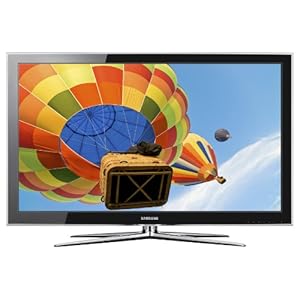
Showing posts with label best quality 46 hdtv. Show all posts

Thursday, June 19, 2014

Digital Cable Quality on an HDTV problem.?


Viperdude5


I just recently bought an Samsung DLP 46" HDTV that has 1080i maximum resolution. The HD channels on the TV look amazing and I have no problems with them. The only problem I have is on regular channels that are 480i. They bad and fuzzy and quality isnt that great. I dont know if its a cable problem because on a standard TV I have thats plugs in from the same source looks great. Is it because of the size of the screen or does my cable need more signal power? I have Time Warner Cable and have a Cable Box with it too.
Oh yes by the way I do use HDMI on my receiver though I still get bad regular channels.


Answer
This is normal. I have it, too. Everyone has it. That is just what we HDTV owners are going to have to put up with for a few more years until all channels are HD compliant. The federal government is on the HDTV side and has already mandated that all channels will be HD in the near future.

We'll just have to watch crappy regular channels for the time being. Make sure you're using HDMI cables for true, uncompressed high-def video!

The reason why you're channels look bad? Your HDTV needs high-octance fuel to run. Regular cable is just like regular unleaded. It doesn't have the resolution (720/1080) to give your HDTV the high-def signal it requires. Therefore, it makes due with the standard cable television signal and produces an unimpressive picture. Buy an upconverting DVD player ($45-150) with an HDMI cable (for 1080 16:9 screen size) and you'll feel better when you're not watching your HD channels.

Best LCD 1080p TV 46' or more, under $1300?


Ry


I like samsung and know a little about them, the 550 seris and 650, 750's are nice. And I like sony, but dont know much about them.
I will use this w/ blue ray movies, my ps3 games mostly. I watch very little TV, and I have sat.
I will buy off Amazon, casue some TVS are 500$ off diff. from best buy.


Answer
I suggest Samsung excellent quality picture.For you budget you can get Samsung LN46A550 46-Inch 1080p LCD HDTV.It is a good choice
http://www.amazon.com/gp/product/B0014175E8?ie=UTF8&tag=computer0bd-20&linkCode=as2&camp=1789&creative=390957&creativeASIN=B0014175E8
but If you have enough money I recommend Samsung LN46A650 46-Inch 1080p 120Hz LCD HDTV with RED Touch of Color better one
http://www.amazon.com/gp/product/B001413D94?ie=UTF8&tag=computer0bd-20&linkCode=as2&camp=1789&creative=390957&creativeASIN=B001413D94


Powered by Yahoo! Answers

Saturday, May 17, 2014

40 vs. 46 Samsung LCD HDTV - same price, different specs, SD quality?


Dexter


I'm not posting the question once again, I found a completely new TV: should I get the 40", 4ms response time and 70000-100000:1 (not sure yet) contrast with Wi-Fi (and YouTube apps etc.) and direct USB video straming and 1gb hard drive TV with some new systems like ultra-crystal screen or somthing, or the older 46" 5ms response time 40000:1 TV for the same price? I'll be sitting ca. 10ft from the TV, but I will mostly play Wii and watch in SD, sometimes HD movies and sports. And I've heard the bigger the screen, the worse the SD quality. Is it true? Please help me decide! Thanks!


Answer
"The bigger the screen the worse the SD" is true up to a certain point. But if both TVs are natively 1920x1080, then SD is going to look about the same. If you had a smaller TV whose native resolution was 1280x720, or thereabouts, then the SD might look a bit better (as less up-scaling would have to be performed). But manufacturers are getting better with the up-scaling.

Ignore all those contrast ratio numbers you have. By the time you're into those numbers, you're not going to see a huge difference in sets, especially at 10ft away. Is there a difference? Sure, but it just won't be intensely noticeable when you take a realistic look at things.

I would likely lean towards the 40" option myself. That sounds like a series 7 model you're quoting. Those are sweet TV sets. But if the 46" model has a 120Hz refresh rate, then it might still be a valid choice. At that point I would have to look at all those bells and whistles that the 40" one has and see if I'd actually use any of them. If yes, then stick it out with the smaller set. If no, and the 46" is 120Hz, then it may serve you better at a 10 foot viewing distance.

Which TV should I get RCA or Insignia? Both are 46" Class / 1080p / 120Hz / LCD HDTV?


hmmmmmm


Both are 46" Class / 1080p / 120Hz / LCD HDTV
If you have to pic one which would it be?
There's a 100 dollar difference for the RCA.


Answer
BOTH BRAND ARE UNRELIABLE TV.
Insignia are local in house trademarks / brand. TV only sold un USA. all products is by small TV maker in China. use low prices / Low quality parts. failure rate is high. up to 20 % in 3 years. 15 % of TV getting power supply problems in 2 years.you can get the same TV sold in third world countries under other buyer brand .* Some Insignia TV may use LG Korea made LCD display Panel , but sales people told you TV is by LG , beware of this )
RCA . world NO 1 in TV during 60s / 70s . however the USA no 1 Electronics trademark / brand sold to Thomson SA France around 1996 . and Thomson group sold the BRAND name - RCA to China TCL group . all RCA TV manufactures by China TCL. you able to get the same model sold under TCL brand in China or under other Buyer brand in third world countries. because is cheap. but unreliable.
you MAY not need a quality TV. in you mind , just a good TV within you budget.but keeps send TV for repair is FREE during warranty ( even 3 years warranty ) , but case transport / shipping charge and MAY with out TV from 1 to 4 even 6 weeks. because of quality. MAY need to replace LCD display panel in 3/4 years. beware of this issue. ( it make you mad ).
Worth to Paid more for International Brand for quality ( even you don't need ) + reliable ( you need ) .
Samsung and LG TV in quality and reliable .failure rate is 2 % max 3 % in 6-8 years.
there manufactures by own from end to end. use own made LCD display panel. designs back up by 40 years experience R & D team.quality always in control.even TV from Samsung China / Malaysia // LG China. but the oversea factory is 100 % OWN.
Insignia and RCA TV . take high risk . !! try not .
^^^^^^^^^^^^^^^^^^^^^^^^^^^^^^^^^^^^^^^^^^
46 inc big screen . Panasonic Plasma is the best in quality and prices. Plasma always with out motion blur. true / deep dark colours . much better display quality than standard LCD TV. New Panasonic Plasma technologies make easy burn in / over heat not an issue any more. life time is 60,000 hours as good as LCD TV ( better life time than Insignia.RCA LCD TV ) . go for Panasonic 46 ins Plasma TV . best quality . great reasonable prices compare to same screen LCD.
http://www.startribune.com/lifestyle/63288357.html?elr=KArks7PYDiaK7DUHPYDiaK7DUiacyKUnciatkEP7DhUr
http://www.plasma-lcd-facts.co.uk/myths/response/


Powered by Yahoo! Answers

Thursday, March 6, 2014

Which TV should I get RCA or Insignia? Both are 46" Class / 1080p / 120Hz / LCD HDTV?


hmmmmmm


Both are 46" Class / 1080p / 120Hz / LCD HDTV
If you have to pic one which would it be?
There's a 100 dollar difference for the RCA.


Answer
BOTH BRAND ARE UNRELIABLE TV.
Insignia are local in house trademarks / brand. TV only sold un USA. all products is by small TV maker in China. use low prices / Low quality parts. failure rate is high. up to 20 % in 3 years. 15 % of TV getting power supply problems in 2 years.you can get the same TV sold in third world countries under other buyer brand .* Some Insignia TV may use LG Korea made LCD display Panel , but sales people told you TV is by LG , beware of this )
RCA . world NO 1 in TV during 60s / 70s . however the USA no 1 Electronics trademark / brand sold to Thomson SA France around 1996 . and Thomson group sold the BRAND name - RCA to China TCL group . all RCA TV manufactures by China TCL. you able to get the same model sold under TCL brand in China or under other Buyer brand in third world countries. because is cheap. but unreliable.
you MAY not need a quality TV. in you mind , just a good TV within you budget.but keeps send TV for repair is FREE during warranty ( even 3 years warranty ) , but case transport / shipping charge and MAY with out TV from 1 to 4 even 6 weeks. because of quality. MAY need to replace LCD display panel in 3/4 years. beware of this issue. ( it make you mad ).
Worth to Paid more for International Brand for quality ( even you don't need ) + reliable ( you need ) .
Samsung and LG TV in quality and reliable .failure rate is 2 % max 3 % in 6-8 years.
there manufactures by own from end to end. use own made LCD display panel. designs back up by 40 years experience R & D team.quality always in control.even TV from Samsung China / Malaysia // LG China. but the oversea factory is 100 % OWN.
Insignia and RCA TV . take high risk . !! try not .
^^^^^^^^^^^^^^^^^^^^^^^^^^^^^^^^^^^^^^^^^^
46 inc big screen . Panasonic Plasma is the best in quality and prices. Plasma always with out motion blur. true / deep dark colours . much better display quality than standard LCD TV. New Panasonic Plasma technologies make easy burn in / over heat not an issue any more. life time is 60,000 hours as good as LCD TV ( better life time than Insignia.RCA LCD TV ) . go for Panasonic 46 ins Plasma TV . best quality . great reasonable prices compare to same screen LCD.
http://www.startribune.com/lifestyle/63288357.html?elr=KArks7PYDiaK7DUHPYDiaK7DUiacyKUnciatkEP7DhUr
http://www.plasma-lcd-facts.co.uk/myths/response/

im looking for HDTV 46-47" 1080p or 720p any suggestion?


devildogs


im looking for HDTV 46-47" 1080p or 720p any suggestion???

i been looking in besbuy website and i found a few like samsung for $1100 for 1080p.

any other suggestion??

the price should be around 1k not over 1.3k


Answer
I have Samsung LN46A550 for over 2 weeks now and I have yet to see anything that is below expectation. Some reviewers have complained about speakers but I feel they are quite adequate, sound quality is very good. Of course it would be unfair to compare the TV speakers to a Bose system or other high end audio system.

Picture quality is excellent. I have seen the very high priced Sonys and Pioneers at electronic stores but this TV's picture quality is as good as them or maybe even better. Fast actions sequqences have no blur. Blacks are deep blacks, colors are sharp and crisp.

Remote control with big buttons is very user friendly and for a change even the user manual is well written. I always hate the user manuals that come with gadgets but not this one.

If you are looking for a HDTV look no further. This is the best money can buy.

Samsung LN46A550 46-Inch 1080p LCD HDTV
Samsung's 550 Series is a perfect way to step up to Full HD 1080p resolution. A fast 5 ms response rate produces smooth-motion scenes for sports and action movies, and a dynamic contrast ratio of 30,000:1 makes for deep blacks and crisp lines (15,000:1 in 32-inch and 37-inch models). Superb connectivity and networking with a USB port and 3 HDMI 1.3 ports with Consumer Electronics Control (CEC) means these HDTVs play well with all of your other electronics. Easily enjoy MPEG and JPEG files stored on external devices by connecting through the side-mounted USB 2.0, turn your LCD into a full-scale home viewing gallery, or connect your MP3 player for a dynamic audio experience.

List Price: $1,599.99
Price: $1,224.99 Free Shipping
You Save: $375.00
reference: http://www.amazon.com/Samsung-LN46A550-46-Inch-1080p-HDTV/dp/B0014175E8/ref=sr_1_4?tag=commentglitte-20&linkCode=ur2&camp=1789&creative=9325


Powered by Yahoo! Answers

Friday, February 21, 2014

Best LCD 1080p TV 46' or more, under $1300?


Ry


I like samsung and know a little about them, the 550 seris and 650, 750's are nice. And I like sony, but dont know much about them.
I will use this w/ blue ray movies, my ps3 games mostly. I watch very little TV, and I have sat.
I will buy off Amazon, casue some TVS are 500$ off diff. from best buy.


Answer
I suggest Samsung excellent quality picture.For you budget you can get Samsung LN46A550 46-Inch 1080p LCD HDTV.It is a good choice
http://www.amazon.com/gp/product/B0014175E8?ie=UTF8&tag=computer0bd-20&linkCode=as2&camp=1789&creative=390957&creativeASIN=B0014175E8
but If you have enough money I recommend Samsung LN46A650 46-Inch 1080p 120Hz LCD HDTV with RED Touch of Color better one
http://www.amazon.com/gp/product/B001413D94?ie=UTF8&tag=computer0bd-20&linkCode=as2&camp=1789&creative=390957&creativeASIN=B001413D94

40 vs. 46 Samsung LCD HDTV - same price, different specs, SD quality?


Dexter


I'm not posting the question once again, I found a completely new TV: should I get the 40", 4ms response time and 70000-100000:1 (not sure yet) contrast with Wi-Fi (and YouTube apps etc.) and direct USB video straming and 1gb hard drive TV with some new systems like ultra-crystal screen or somthing, or the older 46" 5ms response time 40000:1 TV for the same price? I'll be sitting ca. 10ft from the TV, but I will mostly play Wii and watch in SD, sometimes HD movies and sports. And I've heard the bigger the screen, the worse the SD quality. Is it true? Please help me decide! Thanks!


Answer
"The bigger the screen the worse the SD" is true up to a certain point. But if both TVs are natively 1920x1080, then SD is going to look about the same. If you had a smaller TV whose native resolution was 1280x720, or thereabouts, then the SD might look a bit better (as less up-scaling would have to be performed). But manufacturers are getting better with the up-scaling.

Ignore all those contrast ratio numbers you have. By the time you're into those numbers, you're not going to see a huge difference in sets, especially at 10ft away. Is there a difference? Sure, but it just won't be intensely noticeable when you take a realistic look at things.

I would likely lean towards the 40" option myself. That sounds like a series 7 model you're quoting. Those are sweet TV sets. But if the 46" model has a 120Hz refresh rate, then it might still be a valid choice. At that point I would have to look at all those bells and whistles that the 40" one has and see if I'd actually use any of them. If yes, then stick it out with the smaller set. If no, and the 46" is 120Hz, then it may serve you better at a 10 foot viewing distance.


Powered by Yahoo! Answers

Saturday, January 25, 2014

WHat is the difference between an LCD and a Plasma HDTV?

best quality 46 hdtv
 on SAMSUNG - UN46B8500 46
best quality 46 hdtv image


Frightened


I am looking to buy a new tv and need to know (without a comission chasing sales rep) what the difference is between the two types of tv.
The size is hopefully going to be around 46" and up to 50" (inches)
If that makes a difference.


Answer
LCD - is the everyman HDTV. It is cost effective, hence its popularity. It is also physically lighter than Plasma. It tends to draw less power than Plasmas as well (though good Plasmas are now competing with LCDs). It has a matte finish so is useful for rooms that have too much ambient light which can not be controlled. LCD whites are a bit brighter than Plasma whites (but how often do you crank your brightness to 100%). LCDs are considered better for gaming (but I don't think you'd be disappointed with gaming on a modern Plasma). LCDs are sharper in SD (think evening news instead of film); this isn't a good vs bad, its just a personal preference thing. LCDs also have a bit more muted colors; again this isn't good vs bad, its purely personal preference.

LCD technology has problems with fast motion though. That is why you see ones advertised with 120Hz or 240Hz refresh rates (100Hz and 200Hz in Europe). This does not come close to Plasma though. So they aren't as good for fast motion (sports and movies). The 240Hz ones are making good strides, but right now you're paying a HUGE premium for it.

LCDs are also not as strong with their ability to reproduce true blacks. Their blacks tend to be a bit grey and not a true black. LCDs with LED backlighting are coming out now though. These are finally starting to bring LCDs to the Plasma level in terms of blacks. However, like the 240Hz refresh rate, you must pay a large premium for this feature at the current time.

Plasma - they have better blacks (true black), contrast (greater ranges in blacks/whites so you get greys instead of clumps of black and white), and motion playback (their refresh rate is near instantaneous much like old CRTs were). Their overall image quality is better than that of an LCD. While prices on them are constantly dropping, they do demand a slight premium over LCDs of a similar category. The colors in Plasmas tend to have more "pop" to them; this isn't a good vs bad thing, its just personal preference. Also for SD viewing they are a bit "softer" (think more like film less like the evening news). This isn't a good vs bad thing, its personal preference. Most plasma owners get used to it and don't mind it.

Plasma's are glass though so are glossy. They can have reflection issues if you are in a room with lots of light that you can't control (you can't turn off the lights and you don't own any blinds). And good Plasma care would require you condition them. But its fairly simple to do. All you have to do is keep the brightness and contrast (picture) settings cranked way down for the first 100-200 hours, then optimize, and you'll have an amazing TV experience.

Plasma myth (1) - They experience burn-in. This is inaccurate, those days are gone. Just condition the gasses and then use it as normal and you're fine. Also, the better sets have built-in features to prevent this (on top of the technology just generally being better now than say 5 years ago).

Plasma myth (2) - They have short life spans. This is another inaccuracy. Most are now rated in the 60,000-100,000 hours range. At 8 hours a day 365 days a year that would mean a life of 20-30 years. So do you think you'll still want/own the same TV in 15 years, let alone 30?

Plasma myth (3) - They won't work in high altitude because of problems for the gasses. This is again no longer an issue. Current Plasmas can be purchased and used in mile high Denver, and above, so you'll be fine where ever you are (unless you're living in the Himalayas).

Plasma vs LCD - One important note though is TV size. In 42" and above you see and get the benefit of the Plasma advantages. But 40" and smaller and the benefits are diminishing. So if your needs are for a smaller television, LCD may be a wiser choice.

Plasma brands - Pioneer Kuro Elite is the best, followed by Pioneer Kuro. But these can cost as much as a small car. Panasonic Viera is the next best and is much more cost effective. The Vieras can give the Kuros a run for their money (they might not win, but they are no push over in quality). After that I would look to Samsung primarily as a Plasma option. There are also some LG models that have reviewed extremely well (but do your homework).

LCD brands - I would stick with Samsung, Sharp Aquos, and Sony (but only Sony if its on sale, otherwise it tends to be overpriced). Sony stopped manufacturing LCD panels, they now buy/use the same ones used in the Sharp Aquos sets. Samsung is a step above the rest if you go with the series 6 through 9 models. The series 4/5 are strong performers as well, but a bit better suited for 37-40" or smaller. If you go with a larger set, look to the more advanced series. With Sony the XBR6/7/8 lines are all strong. Again, the bigger the TV the more likely you want the higher numbered line.

Do you know an HDTV with awesome built in speakers?


OfDubiousQ


I know HDTV's are notorious for their built in speakers sound quality, so I was just wondering if there was one out there with some good, ready to go speakers.
If someone could just tell me 1 HDTV with better than average sound quality, they get best answer. I'm fully aware that a home theater sound system sounds better than a TV's internal speakers.


Answer
Mitsubishi has a relatively new line that features a sound projector for it's built in speakers. It uses 16 small individually amplified speakers that allow it to very directionally beam sound to various reflective points in the room. Yamaha uses the same technology in its YSP line. While it not as good as a full size surround system, with the addition of even a small subwoofer it has great sound on its own. Available in either a 52" or 46" LCD size it's also got a great picture as well.

http://www.mitsubishi-tv.com/isplcd.html

Full Disclosure: I am a dealer for both Yamaha and Mitsubishi as well as many other television brands. I personally have the 52" version at my home.


Powered by Yahoo! Answers

Wednesday, January 15, 2014

How do you hook up a VHS and DVD player without sacrificing quality?

best quality 46 hdtv
 on Top 5 Rated 46 Inch LCD HDTV 1080p Flatscreens Reviewed On The Market ...
best quality 46 hdtv image


Brian H


My parents got a nice big 46" HDTV and they wanted me to hook up the DVD player. I get there and realize its a DVD VHS Combo so I hooked it up with the Red, White, and Yellow RCA cables and then my parents got mad because the picture was fuzzy. I re hooked it up with Component cables and the picture was much better but now You cant use the VCR part. Is there anyway to hook them both up without reducing the quality? I haven't messed with a VHS DVD combo in so long, I'm just stumped on what to do. My TV I just hook up the player to the TV with HDMI and done but this player doesn't have HDMI.


Answer
I'm afraid you are out of luck.

A DVD has max resolution of 480 and component cables are your best way to hook things up.

But a VHS is 240 lines of resolution. And that only tends to use Composite (single yellow cable) which is the worst type of video connection.

Please tell your parents: DVD contains 70 year old video. Every line is backwards compatible to a 1948 television. DVD is a high-tech way to save and play old video.

Even DVD's do not look good on a modern High Res display.

It's not the TV's fault.

How good is the quality on a 32" Hannspree SV32LMNB LED 1080p TV?


MrHello54


I know it is 1080p, but is the quality actually good for blu rays or hd gaming?


Answer
I'm both an avid TV watcher and a HD videographer, and as such, I wouldn't pay for a 1080p 32" HDTV unless you're using it within about 3 feet.

The human eye cannot see the difference between 1080p and 720p at normal viewing distance in a 32" TV. 1080p was designed to have 720p quality at sizes over 46". I have a more trained eye than most people and I struggle to tell the distance in TVs smaller than 40".


Powered by Yahoo! Answers

Saturday, December 21, 2013

What av cable should i buy for the ps2?

best quality 46 hdtv
 on best lcd hdtv 2013 on Outlet# Best Deals Samsung LNT4661F 46 Inch ...
best quality 46 hdtv image


Flow20


I have a ps2 av cable but it is damaged. I have a Toshiba 46 in lcd hdtv and I saw some ps3 cables that work for the ps2. Should I buy the normal or hd cables for my ps2?


Answer
Since PS2 only has an output port for AV cables and your Toshiba is HDTV; you should buy a Component AV cable. That will give you the best quality possible.

Take a look at this:

This is the official Component AV cable for Playstation 2 and 3
http://www.amazon.ca/Sony-Electronic-Component-Cable-Playstation/dp/B000MIXFWA/ref=sr_1_1?ie=UTF8&s=videogames&qid=1263080755&sr=8-1

What camcorder works with Mac and the HD quality can be viewed on my 1080 46 inch sony?


Shree P


Id like a camcorder. Couple year older is fine i can get it on ebay that records in HD and is compatible to download onto my Mac. AND that if I want I can burn onto a disc and watch them with HD quality on my 1080 Tv?
I would also like to edit the videos once downloaded so I can make movies so i want the software to be all recognized.


Answer
What is your budget?

Which Apple Macintosh?
The MacBook Air and some MacBooks have no firewire port so that takes miniDV tape camcorders off the table - but just for them. ALL other Macs made in the last 10 years have a firewire port. If the Mac is running OSX, has an Intel CPU and is running iMovie '08 or newer, then AVCHD camcorders will get along.

This gets the high definition video into the computer for editing...

Now for output...

Assuming you have a Blu Ray player connected to your HDTV, you should get a Blu Ray burner connected to your Mac... LaCie makes good ones...

Another option is to connect your Mac to the HDTV - no need to burn a disk. Or get a MacMini to be a media server. The new ones can connect using either HDMI or component (+ audio).

Which DVD player...
If you have only a regular DVD player, there is nothing you can do to *make* it play high definition video, so just use iDVD and have it downsample the high def video to standard def and render for you.

But you have not supplied enough information and we don't know what you have so we don't know if your specific environment is equipped to do what you want.

I've been capturing high definition video, importing to Macs, editing and playing back standard and high definition video for about five years... using Sony and Canon camcorders...


Powered by Yahoo! Answers

Saturday, December 7, 2013

How good is the quality on a 32" Hannspree SV32LMNB LED 1080p TV?

best quality 46 hdtv
 on SAMSUNG - LN46B530 46
best quality 46 hdtv image


MrHello54


I know it is 1080p, but is the quality actually good for blu rays or hd gaming?


Answer
I'm both an avid TV watcher and a HD videographer, and as such, I wouldn't pay for a 1080p 32" HDTV unless you're using it within about 3 feet.

The human eye cannot see the difference between 1080p and 720p at normal viewing distance in a 32" TV. 1080p was designed to have 720p quality at sizes over 46". I have a more trained eye than most people and I struggle to tell the distance in TVs smaller than 40".

What kind of HDTV is better: Plasma, LCD , LED, etc.?


FSPT_Tech


I want to buy an 40" - 46" HDTV (1080p) for my home to replace my 10 year old 40 " CRT TV. I've seen different types out there: Plasma, LED. LCD. What's the difference and which is considered best (quality-wise). Any references to links that explain the different types of TVs on the market now. I'm just now able to afford getting into 21st century technology and would like some help.


Answer
Confused about what type of TV to buy? LED LCD Plasma.. How to choose?

After all, there are so many acronyms and buzzwords to wrap your head around, such as 1080p, 120/240Hz, 24p, HDMI and LED backlighting. Huh?

Along with deciding how big a screen you want (which is usually tied to the size of your budget and the dimensions of your room), the next choice should be between LCD.LCD (LED Backlit) or Plasma — and all have their merits. Here, we'll describe each of these formats, and also point out their shortcomings.

LCD

What is it?
lcd tv 120mhzSimilar to your laptop computer's monitor, flat-panel LCD televisions use a liquid crystal display to produce a sharp and bright picture; these crystals are sandwiched between two panes of polarized glass, which are stimulated by an electric current and illuminated by fluorescent tubes housed behind the glass. Some newer LCD TVs, however, use LED-backlighting instead. LEDs, or light-emitting diodes, translate to a better-looking picture (see photo).

Pros
There are a number of advantages to buying a LCD televisions. For one, with more than three-quarters of all televisions embracing this technology, there is a lot of choice when it comes to manufacturers, models and sizes (13- to 103-inches, in fact). Competition, of course, breeds more aggressive pricing, too, which is good news for the consumer.

Flat-panel LCD televisions are also very thin, light and energy efficient, and are ideal for rooms with plenty of ambient light, which, for example, comes through large windows as they tend to absorb rather than reflect light (reflected light can obscure your view of the screen).

Cons
Until recently, LCD TVs didn't handle fast motion images as well as plasma TVs, resulting in a somewhat blurred image. Newer LCD TVs, though, have added technologies such as 120Hz frame doubling (or 240Hz frame quadrupling) to smooth out motion. It's still not as good as plasma, but much better than before. Also, LCD TVs used to have problems showing dark blacks (because a light was still on behind the pixel showing black, resulting in a more greyish hue). Many LCD televisions today use local-dimming with LED-backlighting (see next section) for improved contrast ratios (whiter whites and blacker blacks) - but, keep in mind, this is not an issue associated with plasma TVs.

http://www.price-rank.com/search/lcd%20tv

LCD (LED Backlit)

What is it? Not a Different Type of TV

led lcd tv backlighting backlitIt’s tempting to think LEDs belong in a completely separate category beside LCD and plasma TVs, but in reality, an LED television is just a type of LCD TV. The proper term would really be "LED-backlit LCD TV," but that always seems to get truncated to "LED TV" in everyday conversation, perpetuating the confusion.

To understand how LEDs function in an LCD TV, think of an actual liquid-crystal panel as the plastic pegs in a Lite Brite. They hold a translucent image, but without a powerful backlight to punch through and light it up like a signboard, you’re not going to see much. On your old Lite Bright, an inefficient incandescent light did the job, but pretty unevenly. On a typical LCD TV, fluorescent lights provide the backlighting through a special plastic sheet called a light guide that distributes light from a fluorescent tube evenly over the surface of the TV. On an LED-backlit TV, fluorescent tubes are replaced with light-emitting diodes – LEDs – the same technology that probably lights up your digital watch, the buttons on your monitor, and the indicators on your stereo. They can be either situated along the edges of the TV like a fluorescent tube, or arranged directly behind the screen in a grid. But what difference does it make, and why would anyone spend so much money on it?

The Benefit of LEDs

The most obvious reason LEDs have fallen into favor in LCD TVs: they’re simply more efficient. Although fluorescent lights do a decent job converting electricity to light in the big scale of things, LEDs perform even better. Typically, manufacturers claim an efficiency improvement of up to 30 percent over fluorescent-based sets, which can add up significantly over the lifetime of a TV, especially on larger screens that use more juice to begin with.

LEDs are also much smaller than tubes, even after accounting for the number of them needed to light an entire TV. That means LED-backlit televisions can be manufactured significantly thinner than their tube cousins. For instance, most of the ultra-thin televisions that measured under an inch thick at CES used LED backlights, because they add very little depth to the profile. Though commercial variants aren’t quite as dramatically thin as these prototypes, they’re significantly skinnier than their fluorescent-backlit counterparts, making them some of the most chic and living-room-friendly HDTVs out there.

For home theater enthusiasts, LEDs only matter for one reason: image quality. Because fluorescent tubes mu


Powered by Yahoo! Answers

Thursday, September 19, 2013

What is the best and cheapest Big Screen HDTV available?

best quality 46 hdtv
 on Best sale Samsung LN46C750 46-Inch 1080p 3D LCD HDTV in best price ...
best quality 46 hdtv image
Q. I'm looking for a 46" or 50" big screen TV. My budget is around $900 - $1100. I'm not to concerned with the type of TV, wether it's LCD, Plasma or Projection. Although, this new TVs main purpose is for gaming, so it must have HDMI and at least 720p. I'm also worried about latency as I've read that some newer televisions can be a little slow to display the image due to the image processing that takes place. Does anyone have any good recomendations as to a tv brand or type that fills all these criteria and is within my budget? I'm not opposed to purchasing online although I still want to stay within my budget after tax and shipping fees.


Answer
I do in fact have a recomendation and it's one shared by most experts in the audio/visual field. At this point in time the Hitachi f59 series is the absolute best bang for the buck available on the market, bar none. LCD? Plasma? DLP? Nope, it's got every set below $3000 covered hands down in every relevant category, be it picture quality, gaming performance or maintenance cost. The fact is that CRT is still the benchmark all others are judged by and at this point in time a High Def rear projection set such as the Hitachi offers the savvy buyer all the goodies without the hassles.

The F59 series is available in 51, 57 and 65 inch screen sizes, and as to price, well lets just say that on a good sale day you can pick up the 65 for between $1000-$1200 and the 57 for $999. Personally, I'd wait for the annual 'After the Super Bowl' sales as most retailers really offer some blowout pricing at this time, many close to those of 'Black Friday'. It was 'Black Friday' which put the 51 inch version on my doorstep at $699 shipped and I couldn't be happier with this set, heck I'd have paid full price and still considered it a steal. Yes, it really IS that good! But don't just take my word for it, take a look for youself at some of the factors which lead me to this purchase.

For instance lets look at the bulbs, or should I say lack of. ALL of the others technologies require an arc lamp bulb to provide the light source and it does a wonderful job...for about two years. 18-24 months is the average life expectancy of these bulbs under normal viewing conditions, then its time for replacement at a cost of $200. Average that out over the ten plus years you'll watch your typical CRT rear projection set like the Hitachi with ZERO bulbs and you'll see just what the latest 'High Tech' is really worth.

As you're a gamer this is the best choice once again due to a few things, the foremost being response time. CRT doesn't have to measure pixel response in milliseconds because there are none, thus instant and true image representaion is there 24/7/365. This is critical when playing first person shooters such as Halo on Xbox Live as the lag associated with the other technologies allows the slightest bit of lag. Sure, a 10ms lag doesn't seem like much but it is the difference in that hitting and missing those vital split second shots, the difference between tea bagging an downed opponent or cursing yourself blue over why your 'dead on' head shot failed to take out the bad guy. Of course the fact you require an HDMI port tells me you're of the PS3 persuasion but this set does indeed have and support HDMI so that's another base covered. Oh, and screen 'Burn In' isn't really an issue either anymore so than any other set, in fact less if proper caution such as not leaving ANYTHING paused for extended periods of time are taken.

Now as far as movie watching goes I certainly hope you have access to a lot of DVDs because viewing them on this set is more addictive than heroin or internet porn. My personal collection grows by the week now, even movies I've seen a million times gain new life on this set. And as for cable, well I have digital cable and see NO reason to upgrade to HD because the Standard def stations would remain the same and the combo of digital and this TV make you swear you were watching true High Def when tuned to any of the Discovery Network channels.

I'll not even go into the realm of picture quality, suffice to say 1080i with the true blacks and true color representation only CRT can deliver is still king of the hill despite every attempt to knock it off. So go ahead and pull the trigger on one of these bad boys, I promise, you'll not be dissapointed in any way, shape or form. Good luck and happy viewing

Will a HDMI cable really change the picture quality of my LCD?


D1


I just bought a 46" Samsung LCD HDTV 1080 and was wondering how to get a better picture quality could anyone tell me what type and brand HDMI cable to buy? Would it really make a difference?


Answer
Of course the picture will look better with HDMI but only if your going to have a high definition source coming from it like HD cable, blu ray player, or a dvd upconverter, or ps3. But if your going to not have an HD source than a HDMI cable is useless.


Brand doesnt matter and the difference from a Monster HDMI Cable and a Phillips HDMI cable is minimal to no difference at all. so dont let the best buy employees rip you.


Powered by Yahoo! Answers

How do you hook up a VHS and DVD player without sacrificing quality?

best quality 46 hdtv
 on Best sale Samsung LN46C750 46-Inch 1080p 3D LCD HDTV in best price ...
best quality 46 hdtv image


Brian H


My parents got a nice big 46" HDTV and they wanted me to hook up the DVD player. I get there and realize its a DVD VHS Combo so I hooked it up with the Red, White, and Yellow RCA cables and then my parents got mad because the picture was fuzzy. I re hooked it up with Component cables and the picture was much better but now You cant use the VCR part. Is there anyway to hook them both up without reducing the quality? I haven't messed with a VHS DVD combo in so long, I'm just stumped on what to do. My TV I just hook up the player to the TV with HDMI and done but this player doesn't have HDMI.


Answer
I'm afraid you are out of luck.

A DVD has max resolution of 480 and component cables are your best way to hook things up.

But a VHS is 240 lines of resolution. And that only tends to use Composite (single yellow cable) which is the worst type of video connection.

Please tell your parents: DVD contains 70 year old video. Every line is backwards compatible to a 1948 television. DVD is a high-tech way to save and play old video.

Even DVD's do not look good on a modern High Res display.

It's not the TV's fault.

How good is the quality on a 32" Hannspree SV32LMNB LED 1080p TV?


MrHello54


I know it is 1080p, but is the quality actually good for blu rays or hd gaming?


Answer
I'm both an avid TV watcher and a HD videographer, and as such, I wouldn't pay for a 1080p 32" HDTV unless you're using it within about 3 feet.

The human eye cannot see the difference between 1080p and 720p at normal viewing distance in a 32" TV. 1080p was designed to have 720p quality at sizes over 46". I have a more trained eye than most people and I struggle to tell the distance in TVs smaller than 40".


Powered by Yahoo! Answers

WHat is the difference between an LCD and a Plasma HDTV?

best quality 46 hdtv
 on Best Sony Kdl46xbr2 46 in. HDTV LCD TV At $500usd for sale of item ...
best quality 46 hdtv image


Frightened


I am looking to buy a new tv and need to know (without a comission chasing sales rep) what the difference is between the two types of tv.
The size is hopefully going to be around 46" and up to 50" (inches)
If that makes a difference.


Answer
LCD - is the everyman HDTV. It is cost effective, hence its popularity. It is also physically lighter than Plasma. It tends to draw less power than Plasmas as well (though good Plasmas are now competing with LCDs). It has a matte finish so is useful for rooms that have too much ambient light which can not be controlled. LCD whites are a bit brighter than Plasma whites (but how often do you crank your brightness to 100%). LCDs are considered better for gaming (but I don't think you'd be disappointed with gaming on a modern Plasma). LCDs are sharper in SD (think evening news instead of film); this isn't a good vs bad, its just a personal preference thing. LCDs also have a bit more muted colors; again this isn't good vs bad, its purely personal preference.

LCD technology has problems with fast motion though. That is why you see ones advertised with 120Hz or 240Hz refresh rates (100Hz and 200Hz in Europe). This does not come close to Plasma though. So they aren't as good for fast motion (sports and movies). The 240Hz ones are making good strides, but right now you're paying a HUGE premium for it.

LCDs are also not as strong with their ability to reproduce true blacks. Their blacks tend to be a bit grey and not a true black. LCDs with LED backlighting are coming out now though. These are finally starting to bring LCDs to the Plasma level in terms of blacks. However, like the 240Hz refresh rate, you must pay a large premium for this feature at the current time.

Plasma - they have better blacks (true black), contrast (greater ranges in blacks/whites so you get greys instead of clumps of black and white), and motion playback (their refresh rate is near instantaneous much like old CRTs were). Their overall image quality is better than that of an LCD. While prices on them are constantly dropping, they do demand a slight premium over LCDs of a similar category. The colors in Plasmas tend to have more "pop" to them; this isn't a good vs bad thing, its just personal preference. Also for SD viewing they are a bit "softer" (think more like film less like the evening news). This isn't a good vs bad thing, its personal preference. Most plasma owners get used to it and don't mind it.

Plasma's are glass though so are glossy. They can have reflection issues if you are in a room with lots of light that you can't control (you can't turn off the lights and you don't own any blinds). And good Plasma care would require you condition them. But its fairly simple to do. All you have to do is keep the brightness and contrast (picture) settings cranked way down for the first 100-200 hours, then optimize, and you'll have an amazing TV experience.

Plasma myth (1) - They experience burn-in. This is inaccurate, those days are gone. Just condition the gasses and then use it as normal and you're fine. Also, the better sets have built-in features to prevent this (on top of the technology just generally being better now than say 5 years ago).

Plasma myth (2) - They have short life spans. This is another inaccuracy. Most are now rated in the 60,000-100,000 hours range. At 8 hours a day 365 days a year that would mean a life of 20-30 years. So do you think you'll still want/own the same TV in 15 years, let alone 30?

Plasma myth (3) - They won't work in high altitude because of problems for the gasses. This is again no longer an issue. Current Plasmas can be purchased and used in mile high Denver, and above, so you'll be fine where ever you are (unless you're living in the Himalayas).

Plasma vs LCD - One important note though is TV size. In 42" and above you see and get the benefit of the Plasma advantages. But 40" and smaller and the benefits are diminishing. So if your needs are for a smaller television, LCD may be a wiser choice.

Plasma brands - Pioneer Kuro Elite is the best, followed by Pioneer Kuro. But these can cost as much as a small car. Panasonic Viera is the next best and is much more cost effective. The Vieras can give the Kuros a run for their money (they might not win, but they are no push over in quality). After that I would look to Samsung primarily as a Plasma option. There are also some LG models that have reviewed extremely well (but do your homework).

LCD brands - I would stick with Samsung, Sharp Aquos, and Sony (but only Sony if its on sale, otherwise it tends to be overpriced). Sony stopped manufacturing LCD panels, they now buy/use the same ones used in the Sharp Aquos sets. Samsung is a step above the rest if you go with the series 6 through 9 models. The series 4/5 are strong performers as well, but a bit better suited for 37-40" or smaller. If you go with a larger set, look to the more advanced series. With Sony the XBR6/7/8 lines are all strong. Again, the bigger the TV the more likely you want the higher numbered line.

Do you know an HDTV with awesome built in speakers?


OfDubiousQ


I know HDTV's are notorious for their built in speakers sound quality, so I was just wondering if there was one out there with some good, ready to go speakers.
If someone could just tell me 1 HDTV with better than average sound quality, they get best answer. I'm fully aware that a home theater sound system sounds better than a TV's internal speakers.


Answer
Mitsubishi has a relatively new line that features a sound projector for it's built in speakers. It uses 16 small individually amplified speakers that allow it to very directionally beam sound to various reflective points in the room. Yamaha uses the same technology in its YSP line. While it not as good as a full size surround system, with the addition of even a small subwoofer it has great sound on its own. Available in either a 52" or 46" LCD size it's also got a great picture as well.

http://www.mitsubishi-tv.com/isplcd.html

Full Disclosure: I am a dealer for both Yamaha and Mitsubishi as well as many other television brands. I personally have the 52" version at my home.


Powered by Yahoo! Answers

Tuesday, September 10, 2013

WHat is the difference between an LCD and a Plasma HDTV?

best quality 46 hdtv
 on Best sale Samsung LN46C750 46-Inch 1080p 3D LCD HDTV in best price ...
best quality 46 hdtv image


Frightened


I am looking to buy a new tv and need to know (without a comission chasing sales rep) what the difference is between the two types of tv.
The size is hopefully going to be around 46" and up to 50" (inches)
If that makes a difference.


Answer
LCD - is the everyman HDTV. It is cost effective, hence its popularity. It is also physically lighter than Plasma. It tends to draw less power than Plasmas as well (though good Plasmas are now competing with LCDs). It has a matte finish so is useful for rooms that have too much ambient light which can not be controlled. LCD whites are a bit brighter than Plasma whites (but how often do you crank your brightness to 100%). LCDs are considered better for gaming (but I don't think you'd be disappointed with gaming on a modern Plasma). LCDs are sharper in SD (think evening news instead of film); this isn't a good vs bad, its just a personal preference thing. LCDs also have a bit more muted colors; again this isn't good vs bad, its purely personal preference.

LCD technology has problems with fast motion though. That is why you see ones advertised with 120Hz or 240Hz refresh rates (100Hz and 200Hz in Europe). This does not come close to Plasma though. So they aren't as good for fast motion (sports and movies). The 240Hz ones are making good strides, but right now you're paying a HUGE premium for it.

LCDs are also not as strong with their ability to reproduce true blacks. Their blacks tend to be a bit grey and not a true black. LCDs with LED backlighting are coming out now though. These are finally starting to bring LCDs to the Plasma level in terms of blacks. However, like the 240Hz refresh rate, you must pay a large premium for this feature at the current time.

Plasma - they have better blacks (true black), contrast (greater ranges in blacks/whites so you get greys instead of clumps of black and white), and motion playback (their refresh rate is near instantaneous much like old CRTs were). Their overall image quality is better than that of an LCD. While prices on them are constantly dropping, they do demand a slight premium over LCDs of a similar category. The colors in Plasmas tend to have more "pop" to them; this isn't a good vs bad thing, its just personal preference. Also for SD viewing they are a bit "softer" (think more like film less like the evening news). This isn't a good vs bad thing, its personal preference. Most plasma owners get used to it and don't mind it.

Plasma's are glass though so are glossy. They can have reflection issues if you are in a room with lots of light that you can't control (you can't turn off the lights and you don't own any blinds). And good Plasma care would require you condition them. But its fairly simple to do. All you have to do is keep the brightness and contrast (picture) settings cranked way down for the first 100-200 hours, then optimize, and you'll have an amazing TV experience.

Plasma myth (1) - They experience burn-in. This is inaccurate, those days are gone. Just condition the gasses and then use it as normal and you're fine. Also, the better sets have built-in features to prevent this (on top of the technology just generally being better now than say 5 years ago).

Plasma myth (2) - They have short life spans. This is another inaccuracy. Most are now rated in the 60,000-100,000 hours range. At 8 hours a day 365 days a year that would mean a life of 20-30 years. So do you think you'll still want/own the same TV in 15 years, let alone 30?

Plasma myth (3) - They won't work in high altitude because of problems for the gasses. This is again no longer an issue. Current Plasmas can be purchased and used in mile high Denver, and above, so you'll be fine where ever you are (unless you're living in the Himalayas).

Plasma vs LCD - One important note though is TV size. In 42" and above you see and get the benefit of the Plasma advantages. But 40" and smaller and the benefits are diminishing. So if your needs are for a smaller television, LCD may be a wiser choice.

Plasma brands - Pioneer Kuro Elite is the best, followed by Pioneer Kuro. But these can cost as much as a small car. Panasonic Viera is the next best and is much more cost effective. The Vieras can give the Kuros a run for their money (they might not win, but they are no push over in quality). After that I would look to Samsung primarily as a Plasma option. There are also some LG models that have reviewed extremely well (but do your homework).

LCD brands - I would stick with Samsung, Sharp Aquos, and Sony (but only Sony if its on sale, otherwise it tends to be overpriced). Sony stopped manufacturing LCD panels, they now buy/use the same ones used in the Sharp Aquos sets. Samsung is a step above the rest if you go with the series 6 through 9 models. The series 4/5 are strong performers as well, but a bit better suited for 37-40" or smaller. If you go with a larger set, look to the more advanced series. With Sony the XBR6/7/8 lines are all strong. Again, the bigger the TV the more likely you want the higher numbered line.

Do you know an HDTV with awesome built in speakers?


OfDubiousQ


I know HDTV's are notorious for their built in speakers sound quality, so I was just wondering if there was one out there with some good, ready to go speakers.
If someone could just tell me 1 HDTV with better than average sound quality, they get best answer. I'm fully aware that a home theater sound system sounds better than a TV's internal speakers.


Answer
Mitsubishi has a relatively new line that features a sound projector for it's built in speakers. It uses 16 small individually amplified speakers that allow it to very directionally beam sound to various reflective points in the room. Yamaha uses the same technology in its YSP line. While it not as good as a full size surround system, with the addition of even a small subwoofer it has great sound on its own. Available in either a 52" or 46" LCD size it's also got a great picture as well.

http://www.mitsubishi-tv.com/isplcd.html

Full Disclosure: I am a dealer for both Yamaha and Mitsubishi as well as many other television brands. I personally have the 52" version at my home.


Powered by Yahoo! Answers

Sunday, August 11, 2013

What av cable should i buy for the ps2?

best quality 46 hdtv
 on Best sale Samsung LN46C750 46-Inch 1080p 3D LCD HDTV in best price ...
best quality 46 hdtv image


Flow20


I have a ps2 av cable but it is damaged. I have a Toshiba 46 in lcd hdtv and I saw some ps3 cables that work for the ps2. Should I buy the normal or hd cables for my ps2?


Answer
Since PS2 only has an output port for AV cables and your Toshiba is HDTV; you should buy a Component AV cable. That will give you the best quality possible.

Take a look at this:

This is the official Component AV cable for Playstation 2 and 3
http://www.amazon.ca/Sony-Electronic-Component-Cable-Playstation/dp/B000MIXFWA/ref=sr_1_1?ie=UTF8&s=videogames&qid=1263080755&sr=8-1

What camcorder works with Mac and the HD quality can be viewed on my 1080 46 inch sony?


Shree P


Id like a camcorder. Couple year older is fine i can get it on ebay that records in HD and is compatible to download onto my Mac. AND that if I want I can burn onto a disc and watch them with HD quality on my 1080 Tv?
I would also like to edit the videos once downloaded so I can make movies so i want the software to be all recognized.


Answer
What is your budget?

Which Apple Macintosh?
The MacBook Air and some MacBooks have no firewire port so that takes miniDV tape camcorders off the table - but just for them. ALL other Macs made in the last 10 years have a firewire port. If the Mac is running OSX, has an Intel CPU and is running iMovie '08 or newer, then AVCHD camcorders will get along.

This gets the high definition video into the computer for editing...

Now for output...

Assuming you have a Blu Ray player connected to your HDTV, you should get a Blu Ray burner connected to your Mac... LaCie makes good ones...

Another option is to connect your Mac to the HDTV - no need to burn a disk. Or get a MacMini to be a media server. The new ones can connect using either HDMI or component (+ audio).

Which DVD player...
If you have only a regular DVD player, there is nothing you can do to *make* it play high definition video, so just use iDVD and have it downsample the high def video to standard def and render for you.

But you have not supplied enough information and we don't know what you have so we don't know if your specific environment is equipped to do what you want.

I've been capturing high definition video, importing to Macs, editing and playing back standard and high definition video for about five years... using Sony and Canon camcorders...


Powered by Yahoo! Answers

Monday, July 29, 2013

Will a HDMI cable really change the picture quality of my LCD?

best quality 46 hdtv
 on Samsung LN46A650 46-Inch 1080p 120Hz LCD HDTV | ThisNext
best quality 46 hdtv image


D1


I just bought a 46" Samsung LCD HDTV 1080 and was wondering how to get a better picture quality could anyone tell me what type and brand HDMI cable to buy? Would it really make a difference?


Answer
Of course the picture will look better with HDMI but only if your going to have a high definition source coming from it like HD cable, blu ray player, or a dvd upconverter, or ps3. But if your going to not have an HD source than a HDMI cable is useless.


Brand doesnt matter and the difference from a Monster HDMI Cable and a Phillips HDMI cable is minimal to no difference at all. so dont let the best buy employees rip you.

What av cable should i buy for the ps2?


Flow20


I have a ps2 av cable but it is damaged. I have a Toshiba 46 in lcd hdtv and I saw some ps3 cables that work for the ps2. Should I buy the normal or hd cables for my ps2?


Answer
Since PS2 only has an output port for AV cables and your Toshiba is HDTV; you should buy a Component AV cable. That will give you the best quality possible.

Take a look at this:

This is the official Component AV cable for Playstation 2 and 3
http://www.amazon.ca/Sony-Electronic-Component-Cable-Playstation/dp/B000MIXFWA/ref=sr_1_1?ie=UTF8&s=videogames&qid=1263080755&sr=8-1


Powered by Yahoo! Answers

Friday, July 26, 2013

What camcorder works with Mac and the HD quality can be viewed on my 1080 46 inch sony?

best quality 46 hdtv
 on Samsung LN46A650 46-Inch 1080p 120Hz LCD HDTV | ThisNext
best quality 46 hdtv image


Shree P


Id like a camcorder. Couple year older is fine i can get it on ebay that records in HD and is compatible to download onto my Mac. AND that if I want I can burn onto a disc and watch them with HD quality on my 1080 Tv?
I would also like to edit the videos once downloaded so I can make movies so i want the software to be all recognized.


Answer
What is your budget?

Which Apple Macintosh?
The MacBook Air and some MacBooks have no firewire port so that takes miniDV tape camcorders off the table - but just for them. ALL other Macs made in the last 10 years have a firewire port. If the Mac is running OSX, has an Intel CPU and is running iMovie '08 or newer, then AVCHD camcorders will get along.

This gets the high definition video into the computer for editing...

Now for output...

Assuming you have a Blu Ray player connected to your HDTV, you should get a Blu Ray burner connected to your Mac... LaCie makes good ones...

Another option is to connect your Mac to the HDTV - no need to burn a disk. Or get a MacMini to be a media server. The new ones can connect using either HDMI or component (+ audio).

Which DVD player...
If you have only a regular DVD player, there is nothing you can do to *make* it play high definition video, so just use iDVD and have it downsample the high def video to standard def and render for you.

But you have not supplied enough information and we don't know what you have so we don't know if your specific environment is equipped to do what you want.

I've been capturing high definition video, importing to Macs, editing and playing back standard and high definition video for about five years... using Sony and Canon camcorders...

WHat is the difference between an LCD and a Plasma HDTV?


Frightened


I am looking to buy a new tv and need to know (without a comission chasing sales rep) what the difference is between the two types of tv.
The size is hopefully going to be around 46" and up to 50" (inches)
If that makes a difference.


Answer
LCD - is the everyman HDTV. It is cost effective, hence its popularity. It is also physically lighter than Plasma. It tends to draw less power than Plasmas as well (though good Plasmas are now competing with LCDs). It has a matte finish so is useful for rooms that have too much ambient light which can not be controlled. LCD whites are a bit brighter than Plasma whites (but how often do you crank your brightness to 100%). LCDs are considered better for gaming (but I don't think you'd be disappointed with gaming on a modern Plasma). LCDs are sharper in SD (think evening news instead of film); this isn't a good vs bad, its just a personal preference thing. LCDs also have a bit more muted colors; again this isn't good vs bad, its purely personal preference.

LCD technology has problems with fast motion though. That is why you see ones advertised with 120Hz or 240Hz refresh rates (100Hz and 200Hz in Europe). This does not come close to Plasma though. So they aren't as good for fast motion (sports and movies). The 240Hz ones are making good strides, but right now you're paying a HUGE premium for it.

LCDs are also not as strong with their ability to reproduce true blacks. Their blacks tend to be a bit grey and not a true black. LCDs with LED backlighting are coming out now though. These are finally starting to bring LCDs to the Plasma level in terms of blacks. However, like the 240Hz refresh rate, you must pay a large premium for this feature at the current time.

Plasma - they have better blacks (true black), contrast (greater ranges in blacks/whites so you get greys instead of clumps of black and white), and motion playback (their refresh rate is near instantaneous much like old CRTs were). Their overall image quality is better than that of an LCD. While prices on them are constantly dropping, they do demand a slight premium over LCDs of a similar category. The colors in Plasmas tend to have more "pop" to them; this isn't a good vs bad thing, its just personal preference. Also for SD viewing they are a bit "softer" (think more like film less like the evening news). This isn't a good vs bad thing, its personal preference. Most plasma owners get used to it and don't mind it.

Plasma's are glass though so are glossy. They can have reflection issues if you are in a room with lots of light that you can't control (you can't turn off the lights and you don't own any blinds). And good Plasma care would require you condition them. But its fairly simple to do. All you have to do is keep the brightness and contrast (picture) settings cranked way down for the first 100-200 hours, then optimize, and you'll have an amazing TV experience.

Plasma myth (1) - They experience burn-in. This is inaccurate, those days are gone. Just condition the gasses and then use it as normal and you're fine. Also, the better sets have built-in features to prevent this (on top of the technology just generally being better now than say 5 years ago).

Plasma myth (2) - They have short life spans. This is another inaccuracy. Most are now rated in the 60,000-100,000 hours range. At 8 hours a day 365 days a year that would mean a life of 20-30 years. So do you think you'll still want/own the same TV in 15 years, let alone 30?

Plasma myth (3) - They won't work in high altitude because of problems for the gasses. This is again no longer an issue. Current Plasmas can be purchased and used in mile high Denver, and above, so you'll be fine where ever you are (unless you're living in the Himalayas).

Plasma vs LCD - One important note though is TV size. In 42" and above you see and get the benefit of the Plasma advantages. But 40" and smaller and the benefits are diminishing. So if your needs are for a smaller television, LCD may be a wiser choice.

Plasma brands - Pioneer Kuro Elite is the best, followed by Pioneer Kuro. But these can cost as much as a small car. Panasonic Viera is the next best and is much more cost effective. The Vieras can give the Kuros a run for their money (they might not win, but they are no push over in quality). After that I would look to Samsung primarily as a Plasma option. There are also some LG models that have reviewed extremely well (but do your homework).

LCD brands - I would stick with Samsung, Sharp Aquos, and Sony (but only Sony if its on sale, otherwise it tends to be overpriced). Sony stopped manufacturing LCD panels, they now buy/use the same ones used in the Sharp Aquos sets. Samsung is a step above the rest if you go with the series 6 through 9 models. The series 4/5 are strong performers as well, but a bit better suited for 37-40" or smaller. If you go with a larger set, look to the more advanced series. With Sony the XBR6/7/8 lines are all strong. Again, the bigger the TV the more likely you want the higher numbered line.


Powered by Yahoo! Answers

Thursday, July 11, 2013

How do you hook up a VHS and DVD player without sacrificing quality?

best quality 46 hdtv
 on Best sale Samsung LN46C750 46-Inch 1080p 3D LCD HDTV in best price ...
best quality 46 hdtv image


Brian H


My parents got a nice big 46" HDTV and they wanted me to hook up the DVD player. I get there and realize its a DVD VHS Combo so I hooked it up with the Red, White, and Yellow RCA cables and then my parents got mad because the picture was fuzzy. I re hooked it up with Component cables and the picture was much better but now You cant use the VCR part. Is there anyway to hook them both up without reducing the quality? I haven't messed with a VHS DVD combo in so long, I'm just stumped on what to do. My TV I just hook up the player to the TV with HDMI and done but this player doesn't have HDMI.


Answer
I'm afraid you are out of luck.

A DVD has max resolution of 480 and component cables are your best way to hook things up.

But a VHS is 240 lines of resolution. And that only tends to use Composite (single yellow cable) which is the worst type of video connection.

Please tell your parents: DVD contains 70 year old video. Every line is backwards compatible to a 1948 television. DVD is a high-tech way to save and play old video.

Even DVD's do not look good on a modern High Res display.

It's not the TV's fault.

How good is the quality on a 32" Hannspree SV32LMNB LED 1080p TV?


MrHello54


I know it is 1080p, but is the quality actually good for blu rays or hd gaming?


Answer
I'm both an avid TV watcher and a HD videographer, and as such, I wouldn't pay for a 1080p 32" HDTV unless you're using it within about 3 feet.

The human eye cannot see the difference between 1080p and 720p at normal viewing distance in a 32" TV. 1080p was designed to have 720p quality at sizes over 46". I have a more trained eye than most people and I struggle to tell the distance in TVs smaller than 40".


Powered by Yahoo! Answers

Wednesday, July 3, 2013

What kind of HDTV is better: Plasma, LCD , LED, etc.?

best quality 46 hdtv
 on Best sale Samsung LN46C750 46-Inch 1080p 3D LCD HDTV in best price ...
best quality 46 hdtv image


FSPT_Tech


I want to buy an 40" - 46" HDTV (1080p) for my home to replace my 10 year old 40 " CRT TV. I've seen different types out there: Plasma, LED. LCD. What's the difference and which is considered best (quality-wise). Any references to links that explain the different types of TVs on the market now. I'm just now able to afford getting into 21st century technology and would like some help.


Answer
Confused about what type of TV to buy? LED LCD Plasma.. How to choose?

After all, there are so many acronyms and buzzwords to wrap your head around, such as 1080p, 120/240Hz, 24p, HDMI and LED backlighting. Huh?

Along with deciding how big a screen you want (which is usually tied to the size of your budget and the dimensions of your room), the next choice should be between LCD.LCD (LED Backlit) or Plasma â and all have their merits. Here, we'll describe each of these formats, and also point out their shortcomings.

LCD

What is it?
lcd tv 120mhzSimilar to your laptop computer's monitor, flat-panel LCD televisions use a liquid crystal display to produce a sharp and bright picture; these crystals are sandwiched between two panes of polarized glass, which are stimulated by an electric current and illuminated by fluorescent tubes housed behind the glass. Some newer LCD TVs, however, use LED-backlighting instead. LEDs, or light-emitting diodes, translate to a better-looking picture (see photo).

Pros
There are a number of advantages to buying a LCD televisions. For one, with more than three-quarters of all televisions embracing this technology, there is a lot of choice when it comes to manufacturers, models and sizes (13- to 103-inches, in fact). Competition, of course, breeds more aggressive pricing, too, which is good news for the consumer.

Flat-panel LCD televisions are also very thin, light and energy efficient, and are ideal for rooms with plenty of ambient light, which, for example, comes through large windows as they tend to absorb rather than reflect light (reflected light can obscure your view of the screen).

Cons
Until recently, LCD TVs didn't handle fast motion images as well as plasma TVs, resulting in a somewhat blurred image. Newer LCD TVs, though, have added technologies such as 120Hz frame doubling (or 240Hz frame quadrupling) to smooth out motion. It's still not as good as plasma, but much better than before. Also, LCD TVs used to have problems showing dark blacks (because a light was still on behind the pixel showing black, resulting in a more greyish hue). Many LCD televisions today use local-dimming with LED-backlighting (see next section) for improved contrast ratios (whiter whites and blacker blacks) - but, keep in mind, this is not an issue associated with plasma TVs.

http://www.price-rank.com/search/lcd%20tv

LCD (LED Backlit)

What is it? Not a Different Type of TV

led lcd tv backlighting backlitItâs tempting to think LEDs belong in a completely separate category beside LCD and plasma TVs, but in reality, an LED television is just a type of LCD TV. The proper term would really be "LED-backlit LCD TV," but that always seems to get truncated to "LED TV" in everyday conversation, perpetuating the confusion.

To understand how LEDs function in an LCD TV, think of an actual liquid-crystal panel as the plastic pegs in a Lite Brite. They hold a translucent image, but without a powerful backlight to punch through and light it up like a signboard, youâre not going to see much. On your old Lite Bright, an inefficient incandescent light did the job, but pretty unevenly. On a typical LCD TV, fluorescent lights provide the backlighting through a special plastic sheet called a light guide that distributes light from a fluorescent tube evenly over the surface of the TV. On an LED-backlit TV, fluorescent tubes are replaced with light-emitting diodes â LEDs â the same technology that probably lights up your digital watch, the buttons on your monitor, and the indicators on your stereo. They can be either situated along the edges of the TV like a fluorescent tube, or arranged directly behind the screen in a grid. But what difference does it make, and why would anyone spend so much money on it?

The Benefit of LEDs

The most obvious reason LEDs have fallen into favor in LCD TVs: theyâre simply more efficient. Although fluorescent lights do a decent job converting electricity to light in the big scale of things, LEDs perform even better. Typically, manufacturers claim an efficiency improvement of up to 30 percent over fluorescent-based sets, which can add up significantly over the lifetime of a TV, especially on larger screens that use more juice to begin with.

LEDs are also much smaller than tubes, even after accounting for the number of them needed to light an entire TV. That means LED-backlit televisions can be manufactured significantly thinner than their tube cousins. For instance, most of the ultra-thin televisions that measured under an inch thick at CES used LED backlights, because they add very little depth to the profile. Though commercial variants arenât quite as dramatically thin as these prototypes, theyâre significantly skinnier than their fluorescent-backlit counterparts, making them some of the most chic and living-room-friendly HDTVs out there.

For home theater enthusiasts, LEDs only matter for one reason: image quality. Because fluorescent tubes mu

What is the best and cheapest Big Screen HDTV available?

Q. I'm looking for a 46" or 50" big screen TV. My budget is around $900 - $1100. I'm not to concerned with the type of TV, wether it's LCD, Plasma or Projection. Although, this new TVs main purpose is for gaming, so it must have HDMI and at least 720p. I'm also worried about latency as I've read that some newer televisions can be a little slow to display the image due to the image processing that takes place. Does anyone have any good recomendations as to a tv brand or type that fills all these criteria and is within my budget? I'm not opposed to purchasing online although I still want to stay within my budget after tax and shipping fees.


Answer
I do in fact have a recomendation and it's one shared by most experts in the audio/visual field. At this point in time the Hitachi f59 series is the absolute best bang for the buck available on the market, bar none. LCD? Plasma? DLP? Nope, it's got every set below $3000 covered hands down in every relevant category, be it picture quality, gaming performance or maintenance cost. The fact is that CRT is still the benchmark all others are judged by and at this point in time a High Def rear projection set such as the Hitachi offers the savvy buyer all the goodies without the hassles.

The F59 series is available in 51, 57 and 65 inch screen sizes, and as to price, well lets just say that on a good sale day you can pick up the 65 for between $1000-$1200 and the 57 for $999. Personally, I'd wait for the annual 'After the Super Bowl' sales as most retailers really offer some blowout pricing at this time, many close to those of 'Black Friday'. It was 'Black Friday' which put the 51 inch version on my doorstep at $699 shipped and I couldn't be happier with this set, heck I'd have paid full price and still considered it a steal. Yes, it really IS that good! But don't just take my word for it, take a look for youself at some of the factors which lead me to this purchase.

For instance lets look at the bulbs, or should I say lack of. ALL of the others technologies require an arc lamp bulb to provide the light source and it does a wonderful job...for about two years. 18-24 months is the average life expectancy of these bulbs under normal viewing conditions, then its time for replacement at a cost of $200. Average that out over the ten plus years you'll watch your typical CRT rear projection set like the Hitachi with ZERO bulbs and you'll see just what the latest 'High Tech' is really worth.

As you're a gamer this is the best choice once again due to a few things, the foremost being response time. CRT doesn't have to measure pixel response in milliseconds because there are none, thus instant and true image representaion is there 24/7/365. This is critical when playing first person shooters such as Halo on Xbox Live as the lag associated with the other technologies allows the slightest bit of lag. Sure, a 10ms lag doesn't seem like much but it is the difference in that hitting and missing those vital split second shots, the difference between tea bagging an downed opponent or cursing yourself blue over why your 'dead on' head shot failed to take out the bad guy. Of course the fact you require an HDMI port tells me you're of the PS3 persuasion but this set does indeed have and support HDMI so that's another base covered. Oh, and screen 'Burn In' isn't really an issue either anymore so than any other set, in fact less if proper caution such as not leaving ANYTHING paused for extended periods of time are taken.

Now as far as movie watching goes I certainly hope you have access to a lot of DVDs because viewing them on this set is more addictive than heroin or internet porn. My personal collection grows by the week now, even movies I've seen a million times gain new life on this set. And as for cable, well I have digital cable and see NO reason to upgrade to HD because the Standard def stations would remain the same and the combo of digital and this TV make you swear you were watching true High Def when tuned to any of the Discovery Network channels.

I'll not even go into the realm of picture quality, suffice to say 1080i with the true blacks and true color representation only CRT can deliver is still king of the hill despite every attempt to knock it off. So go ahead and pull the trigger on one of these bad boys, I promise, you'll not be dissapointed in any way, shape or form. Good luck and happy viewing


Powered by Yahoo! Answers